- Install the needed packages
apt update
apt install -y libsasl2-modules mailutils-
Create app password for your google account
- Go to App Passwords
- Select app:
Mail - Select device:
Other - Type in:
Proxmoxor whatever you want here
-
Write gmail credentials to file and hash it.
echo "smtp.gmail.com youremail@gmail.com:yourpassword" > /etc/postfix/sasl_passwd

# chmod u=rw
chmod 600 /etc/postfix/sasl_passwd

# generate /etc/postfix/sasl_passwd.db
postmap hash:/etc/postfix/sasl_passwd- Open the postfix configuration
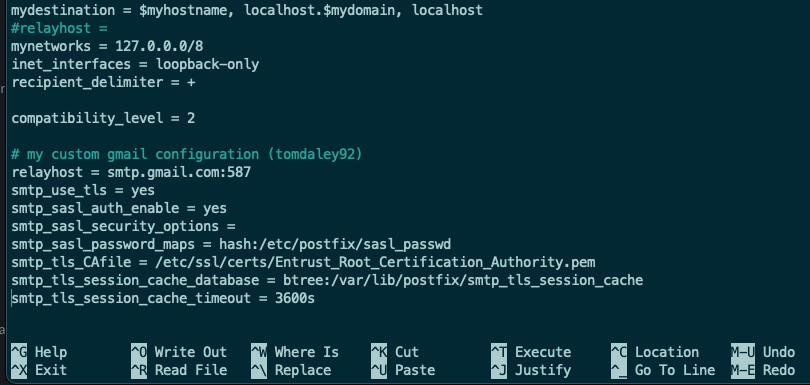
nano /etc/postfix/main.cf- Append the following to the end of the file
relayhost = smtp.gmail.com:587
smtp_use_tls = yes
smtp_sasl_auth_enable = yes
smtp_sasl_security_options =
smtp_sasl_password_maps = hash:/etc/postfix/sasl_passwd
smtp_tls_CAfile = /etc/ssl/certs/Entrust_Root_Certification_Authority.pem
smtp_tls_session_cache_database = btree:/var/lib/postfix/smtp_tls_session_cache
smtp_tls_session_cache_timeout = 3600sIMPORTANT: Comment out the existing line containing just relayhost= since we are using this key in our configuration we just pasted in.
- Reload postfix
postfix reload- Test to make sure everything works.
echo "test" | mail -s "example subject" youremail@gmail.com